

February 2, 2026
HeadshotPro Now Supports Enterprise SSO
Enterprise teams can now connect HeadshotPro to their identity provider for secure, one-click access to AI headshots across their organization.

If you manage IT for a growing company, you know the drill: another tool, another set of passwords to manage, another line item for your next security audit.
Today, that changes for HeadshotPro. Enterprise SSO is here.
Your team can now log into HeadshotPro with their existing company credentials—through Okta, Azure AD, Google Workspace, or any SAML 2.0 provider. No new passwords. No separate accounts. Just one click.
Why SSO Matters for Your Team
Think of SSO as a master key for your organization's digital tools. Employees log in once through your identity provider and gain secure access to everything—including HeadshotPro.
For IT and security teams, this is about more than convenience:
- Fewer passwords, fewer vulnerabilities. Password reuse causes 81% of hacking-related breaches. SSO eliminates that risk for HeadshotPro.
- Instant offboarding. When someone leaves, disabling their account immediately revokes access everywhere. No forgotten app access. No lingering security gaps.
- Your policies, automatically applied. MFA requirements, session timeouts, access controls—whatever you've configured in your identity provider now applies to HeadshotPro.
What You Get with HeadshotPro SSO
Works with Your Identity Provider
Connect in minutes using SAML 2.0. We support Okta, Azure AD, Google Workspace, OneLogin, JumpCloud, PingIdentity, and any other SAML-compatible provider.
Automatic User Provisioning
When a new employee authenticates through SSO for the first time, their HeadshotPro account is created automatically. No IT tickets. No waiting. They can generate their professional headshots immediately.
Domain Verification
Lock down access to verified company domains only. If someone's email isn't from your domain, they can't access your workspace.
SSO Enforcement
Require SSO for everyone on your team—no exceptions. This gives you complete control over how employees access HeadshotPro.
Full Audit Trail
Every login, every authentication event, logged and exportable. When your security team asks "who accessed what and when," you'll have the answer.
What This Means for Your Business
For IT: Manage HeadshotPro access from your existing identity provider dashboard. Add users, remove users, enforce MFA—all in one place.
For HR: New hires authenticate once and immediately start creating their professional headshots. No onboarding friction.
For Security/Compliance: SSO is often a procurement requirement. With HeadshotPro SSO and our SOC 2 Type 2 certification, your security checklist is covered.
For Employees: One less password to remember. Click "Sign in with SSO," enter your company email, done.
Get Started in Under 15 Minutes
SSO is available now for Enterprise customers. Setup takes most teams about 10-15 minutes:
- Go to Admin → Organization Settings
- Click Configure SSO
- Follow the guided setup to connect your identity provider
- Verify your company domain
- Invite your team
Not sure about your identity provider configuration? Our support team responds within 2 hours during business hours and can walk you through setup on a call.
Not on Enterprise Yet?
If you're rolling out HeadshotPro to 50+ employees and need SSO, talk to our team about upgrading. We'll help you get set up quickly.
Already an Enterprise customer? Head to your admin settings and enable SSO today. Your IT team will thank you.


Upgrade Your Headshots In 10 Minutes
Save hundreds of dollars and hours of time by using HeadshotPro to generate your new favorite professional headshots.


Trusted by 196,987+ happy customers
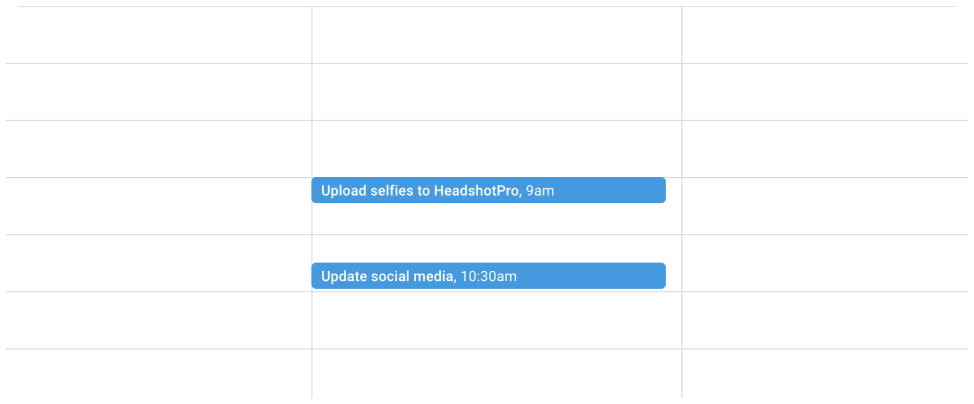
With

1. Upload your photos (5 minutes)
Use your best existing photos or take fresh selfies on the spot.

2. Let our AI work its magic (as fast as 10 minutes)
Our AI will pull your most photogenic qualities from the photos you uploaded.

3. Download your favorites (5 minutes)
That was easy! Download your keepers and enjoy your new professional photos.
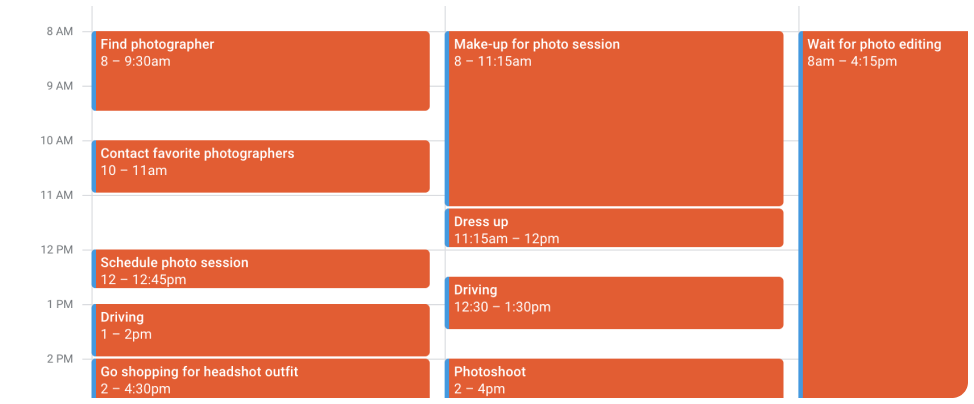
Physical photoshoot
- Find a photographer you like
- Contact them and wait for a reply
- Decide on a date and time you’re both available
- Find the right clothing to wear to the photo shoot
- Get in your car and drive to the photo studio
- Pose for your photos and pick your favorite shots
- Wait for the photographer to send you the finished photos
- Update your professional profiles with your new photos