
Review & Share Headshots
Last updated: January 23, 2026
Once your team members and yourself (if applicable) launch the headshot creation process, you’ll receive an email letting you know that the headshots are ready for your review.
All headshots will remain permanently available in your dashboard unless you choose to have them automatically deleted in 30 days.
Get an overview of your organization's headshots
As a team owner or team admin, you can view, manage, and edit all headshots of your organization, including your own, directly from the Overview section of your dashboard:
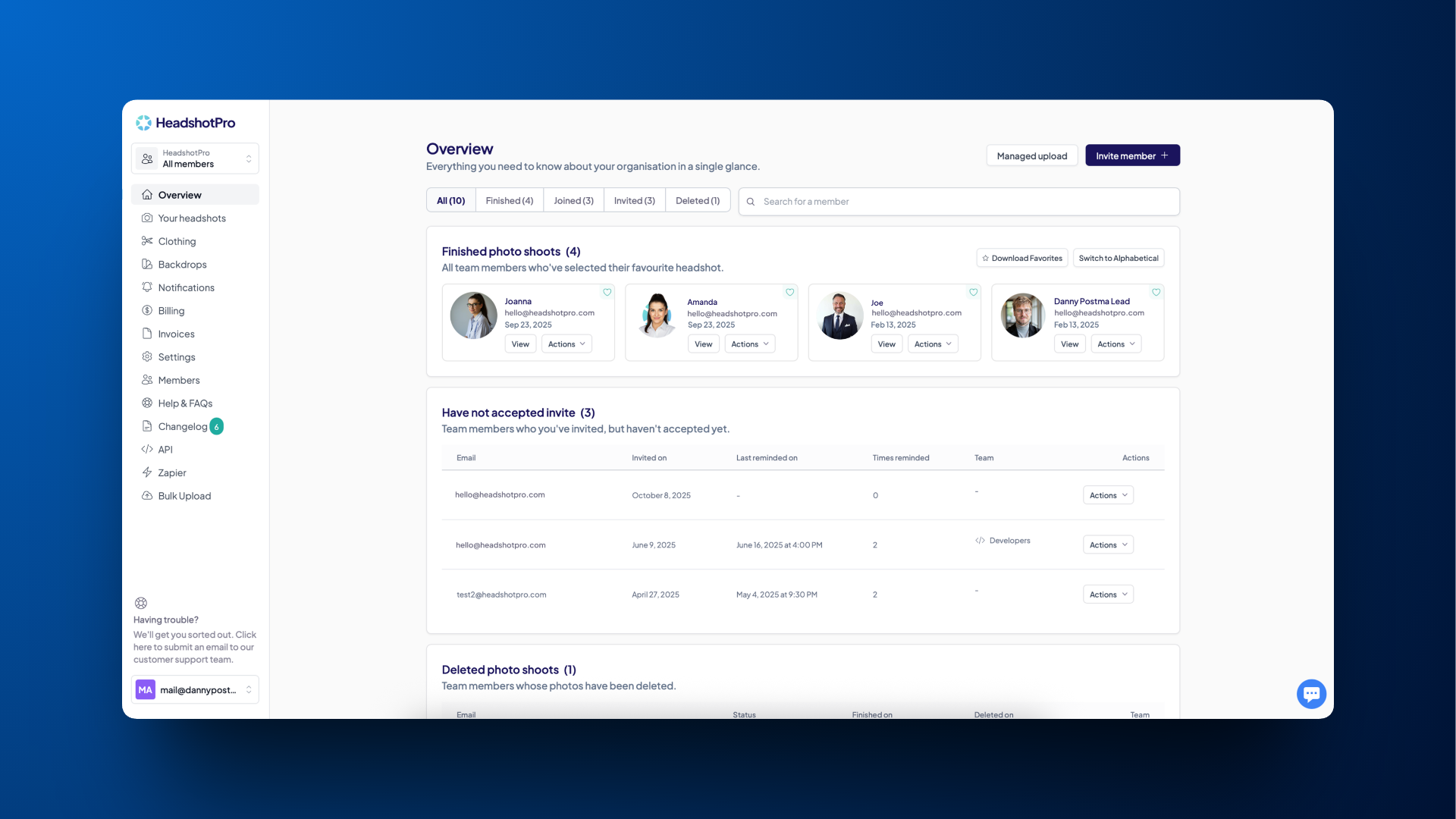
The picture that appears in each bubble is the favorite headshot that that team member has selected. To download all your team's favorite headshots, you may click on Download Favorites.
See a team member’s or your own headshots
To view all the headshots generated for a team member - or your own - click View next to their name in the Overview panel. Here you’ll see all 80 headshots, organized into:
Favorite - The single headshot the team member has selected as their primary image
Keepers - The additional headshots the team member likes and wants to retain but hasn’t chosen as their primary favorite
Remixes - The headshots a team member has modified
All remaining photos - The rest of the generated headshots
Get a new set of headshots
If you’re unhappy with all your headshots, ask your team lead for a retry and review the selfie best practices to avoid the same issue. Retries will delete the original set of photos.
If you like one headshot but not the others, we recommend using your edit credits to create similar variations.
Ask for a second opinion using the voting tool
If you're hesitating between a few options, you can easily get input from a different stakeholder by letting them vote for their top 5 headshots:
Click Share with friend
Click on Create your voting link
Share the link
View all results under View votes
To stop sharing, click Stop sharing
Sharing all headshots
If you’d like to share all of your team member’s or your own headshots - and allow the person receiving the link to download everything - you can create a shareable link:
Click Create share link
Click Copy link
To stop sharing, click Stop sharing