Edit Headshots
Last updated: January 23, 2026
Once your 80 headshots are ready, you can review them and make additional edits.
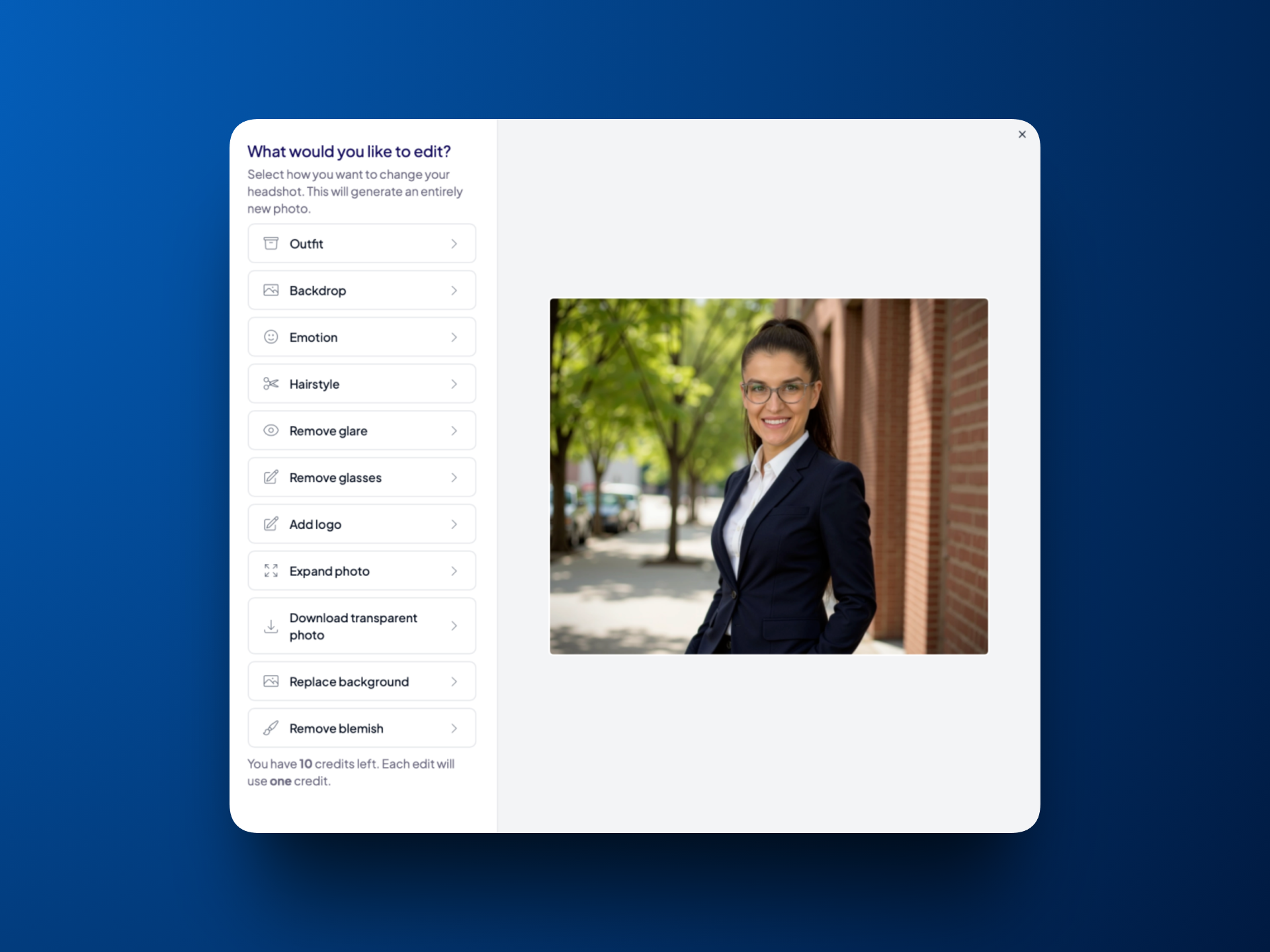
Each team member gets 10 edit credits to update any headshot they choose. Using a credit changes only the specific item you've selected, everything else in the photo stays the same.
Note:
If you’re unhappy with all your headshots, ask your team lead for a retry and review the selfie best practices to avoid the same issue. Retries will delete the original set of photos.
If you like one headshot but not the others, we recommend using your edit credits to create similar variations.
What you can change
For any headshot, you can edit any of the following items:
Change outfit
Change backdrop
Change your emotion
Change your hairstyle
Remove glare
Remove glasses
Add a logo
Expand photo
Tip: If you notice your headshot is too zoomed in for LinkedIn, use this feature to create more space around yourself
Make the background transparent
Replace background
Remove blemish
How to edit a headshot
Go to the page where all your headshots appear
Hover over the headshot you want to edit
Click Actions
Select Edit
Select the item you want to change
Click Remix photo
Wait. Edits are processed in under 1 hour
Both the original photo and the new “Remix” version will appear together on the results page