Review & Share Headshots
Last updated: January 23, 2026
Once you have launched the headshot creation process, you’ll receive an email letting you know that your headshots are ready for your review.
All headshots will remain permanently available in your dashboard.
View your headshots
Log in to your HeadshotPro account to view your headshots. They are organized into:
Keepers - Your favorite headshots. Here you can expect at least one profile worthy picture
All remaining photos - The rest of your headshots
Choose your favorite headshots
To select your favorite headshots:
Hover over the image
Click Mark As Keeper
To remove a headshot as your favorite or keeper:
Hover over the image you’ve marked
Click Mark As Dud. The headshot will return to the All Photos section
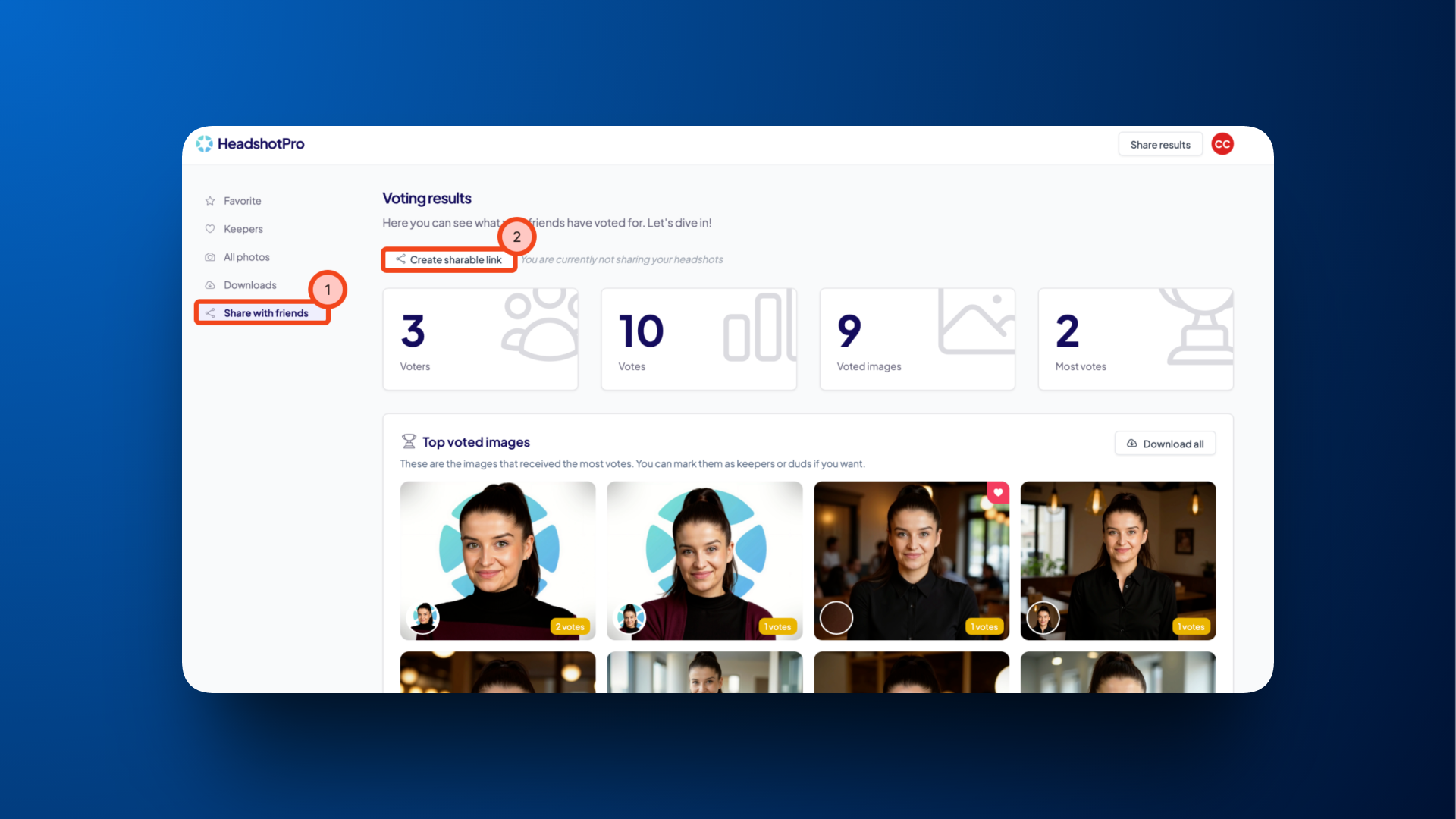
Ask for a second opinion using the voting tool
If you're hesitating between a few options, you can easily get input from different people by letting them vote for their top 5 headshots.
In your dashboard, head to Share with friends
Click Create sharable link
Share the link
View all results under View votes
To stop sharing, click Stop sharing